Skip to content
Sentback

Sentback

Tech Assistance Unleashed, Dive into Devices & Gadgets, and Master the Art of Troubleshooting

  • Home
  • Tech Assistance
  • Troubleshooting
  • Tech Help
  • About The Team
  • Contact Us
  • Home
  • Tech Help
  • How To Help Tech Neck: Strategies You Can’t Ignore

How To Help Tech Neck: Strategies You Can’t Ignore

Bernd Becker November 4, 2025 4 min read
382
how to help tech neck

how to help tech neck

In a world dominated by screens, tech neck is the new epidemic that’s got everyone craning their necks in both literal and figurative ways. It’s almost as if our smartphones and computers are playing a game of ‘who can ruin your posture first.’ But fear not. Understanding how to help tech neck can not only restore the alignment of your spine but also improve your overall well-being. Ready to regain that proper posture and say goodbye to neck pain? Let’s immerse.

Table of Contents

Toggle
  • how to help tech neck
  • Posture Correction Techniques
    • Mind Your Posture
    • Chin Tucks
    • Use Supportive Pillows
  • Stretching and Strengthening Exercises
    • Neck Stretches
    • Shoulder Shrugs
    • Resistance Band Exercises
  • Ergonomic Workstation Setup
    • Monitor Placement
    • Chair Selection
    • Keyboard and Mouse Position
  • Lifestyle Changes to Prevent Tech Neck
    • Take Frequent Breaks
    • Limit Screen Time
    • Stay Active
  • When to Seek Professional Help
    • Persistent Pain
    • Reduced Mobility
    • Symptoms of Nerve Issues

how to help tech neck

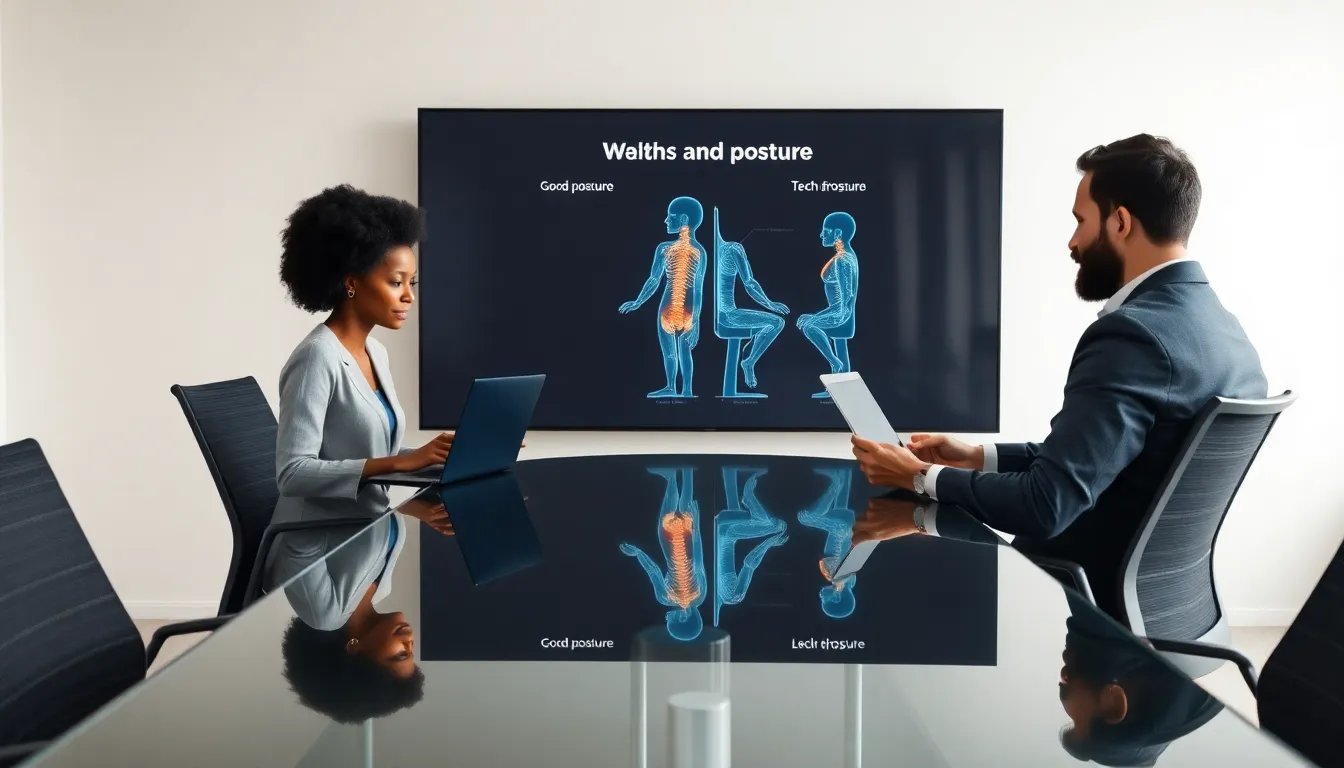
professionals discussing tech neck prevention in a modern office.

Tech neck is the informal term for the strain on the neck that often results from prolonged use of technology. It typically arises when someone is leaning forward or straining their neck down to look at a screen. Let’s break down what causes this annoying discomfort:

  • Poor Posture: Slouching while using devices is a common culprit. Many find themselves unknowingly leaning over their phones or laptops for hours, leading to muscle fatigue.
  • Prolonged Screen Time: As hearts race with excitement over the latest binge-worthy series or smartphone notifications, attention drifts from optimizing posture.
  • Weak Muscles: Weak neck and shoulder muscles can exacerbate the problem, making it harder to hold the head in a neutral position.

Some symptoms of tech neck include:

  • Persistent neck pain
  • Stiffness
  • Headaches
  • Shoulder pain

Understanding these factors is crucial to combating tech neck effectively.

Posture Correction Techniques

When it comes to reversing tech neck, posture correction is often your first line of defense. Here are some practical techniques to help:

Mind Your Posture

Encouraging an upright position can do wonders. Keep the back straight, shoulders relaxed, and ears aligned with the shoulders. A little reminder can go a long way.

Chin Tucks

To realign your cervical spine, try chin tucks. This involves gently tucking the chin into the neck. Holding it for a few seconds, twelve times in a row, can help re-engage those neck muscles.

Use Supportive Pillows

Choosing the right pillow for sleeping can aid in maintaining a neutral neck position throughout the night. A good mix of comfort and support can make all the difference.

Stretching and Strengthening Exercises

Incorporating a mix of stretching and strengthening exercises into daily routines can be a game-changer when it comes to tech neck. Here are some that target the neck and upper back specifically:

Neck Stretches

Gently tilting the head side to side can elongate the neck muscles. Hold the tilt for about 15 to 30 seconds to feel a nice stretch.

Shoulder Shrugs

This simple exercise helps release tension in the shoulders. Raise them to the ears and then drop them back down. Repeat this ten times for maximum effect.

Resistance Band Exercises

Using a resistance band may strengthen those shoulder muscles, providing better support for your neck in the long run. It’s about time to put the band back together.

Ergonomic Workstation Setup

Creating an ergonomic workstation can help enormously in preventing tech neck. Here’s how to optimize it:

Monitor Placement

The top of the monitor should be at eye level, ensuring the user doesn’t have to look down. Ideally, if the computer screen is at least an arm’s length away, it can help maintain a more neutral neck position.

Chair Selection

Investing in a chair designed for support is crucial. Sam likes those with adjustable heights and good lumbar support. Sitting comfortably encourages better posture.

Keyboard and Mouse Position

Positioning the keyboard and mouse close to the body minimizes the reach and keeps the upper body aligned. Every tiny adjustment counts.

Lifestyle Changes to Prevent Tech Neck

Making simple lifestyle adjustments can also play a significant role in preventing tech neck:

Take Frequent Breaks

Encourage a policy of taking a break every hour or so. A quick stretch or even a walk around the room can help reset the body and keep muscles engaged.

Limit Screen Time

Being mindful of how much time is spent on technology can make a difference. Consider setting aside screen-free hours, especially before bedtime. Sure, it’s tough, but the neck will thank you later.

Stay Active

Regular exercise strengthens all muscles, including those supporting the neck. Incorporating daily activity as simple as walking can alleviate tension.

When to Seek Professional Help

Although many can manage tech neck on their own, some situations call for professional advice. Here’s when to consider seeking help:

Persistent Pain

If neck pain lingers beyond a few weeks, it might be wise to consult a healthcare professional. Ignoring the signs can lead to further complications.

Reduced Mobility

Difficulties in moving the neck often indicate a possible underlying issue. If you notice that turning your head has become a task, don’t hesitate to book an appointment.

Symptoms of Nerve Issues

When tingling, numbness, or shooting pains occur, it could signify nerve involvement. Professional evaluation will help clarify the situation.


Continue Reading

Previous: Business Tech Help: Navigate Challenges Like a Pro
Next: Cyber Help Tech Solutions: Your Guide to Staying Secure Online

Trending

Tech-Savvy Security: How ZTNA Shields Networks From Modern Threats Tech-Savvy Security: How ZTNA Shields Networks From Modern Threats 1

Tech-Savvy Security: How ZTNA Shields Networks From Modern Threats

January 22, 2026
How Casino Apps Handle Peak Traffic Without Breaking Gameplay How Casino Apps Handle Peak Traffic Without Breaking Gameplay 2

How Casino Apps Handle Peak Traffic Without Breaking Gameplay

January 13, 2026
Understanding Probability Behavior in Number Games Understanding Probability Behavior in Number Games 3

Understanding Probability Behavior in Number Games

January 12, 2026
Cannabis Around the World: Why Your Legal Product at Home Might Be Contraband Across the Border Cannabis Around the World: Why Your Legal Product at Home Might Be Contraband Across the Border 4

Cannabis Around the World: Why Your Legal Product at Home Might Be Contraband Across the Border

January 7, 2026
Business Tech Help: A Comprehensive Guide Business Tech Help: A Comprehensive Guide 5

Business Tech Help: A Comprehensive Guide

December 30, 2025
Quickbooks Tech Help: Your Ultimate Support Guide Quickbooks Tech Help: Your Ultimate Support Guide 6

Quickbooks Tech Help: Your Ultimate Support Guide

December 30, 2025

Related Stories

Tech-Savvy Security: How ZTNA Shields Networks From Modern Threats Tech-Savvy Security: How ZTNA Shields Networks From Modern Threats
4 min read

Tech-Savvy Security: How ZTNA Shields Networks From Modern Threats

January 22, 2026 32
Business Tech Help: A Comprehensive Guide Business Tech Help: A Comprehensive Guide
5 min read

Business Tech Help: A Comprehensive Guide

December 30, 2025 132
Quickbooks Tech Help: Your Ultimate Support Guide Quickbooks Tech Help: Your Ultimate Support Guide
5 min read

Quickbooks Tech Help: Your Ultimate Support Guide

December 30, 2025 130
Help Desk Tech: An Essential Component of IT Support Help Desk Tech: An Essential Component of IT Support
5 min read

Help Desk Tech: An Essential Component of IT Support

December 30, 2025 130
How To Help Tech Neck: Solutions for Our Digital Age How To Help Tech Neck: Solutions for Our Digital Age
5 min read

How To Help Tech Neck: Solutions for Our Digital Age

December 30, 2025 131
Cyber Help Tech Solutions: Unlocking a Safer Digital Future Cyber Help Tech Solutions: Unlocking a Safer Digital Future
5 min read

Cyber Help Tech Solutions: Unlocking a Safer Digital Future

December 30, 2025 128

Categories

  • Devices – Gadgets
  • Gambling
  • Interesting Facts
  • Just Tech
  • Latest
  • News and Updates
  • Tech Assistance
  • Tech Help
  • Troubleshooting
  • Troubleshooting Guide
  • Troubleshooting only

Trending News

Tech-Savvy Security: How ZTNA Shields Networks From Modern Threats Tech-Savvy Security: How ZTNA Shields Networks From Modern Threats 1

Tech-Savvy Security: How ZTNA Shields Networks From Modern Threats

January 22, 2026
How Casino Apps Handle Peak Traffic Without Breaking Gameplay How Casino Apps Handle Peak Traffic Without Breaking Gameplay 2

How Casino Apps Handle Peak Traffic Without Breaking Gameplay

January 13, 2026
Understanding Probability Behavior in Number Games Understanding Probability Behavior in Number Games 3

Understanding Probability Behavior in Number Games

January 12, 2026
Cannabis Around the World: Why Your Legal Product at Home Might Be Contraband Across the Border Cannabis Around the World: Why Your Legal Product at Home Might Be Contraband Across the Border 4

Cannabis Around the World: Why Your Legal Product at Home Might Be Contraband Across the Border

January 7, 2026
Business Tech Help: A Comprehensive Guide Business Tech Help: A Comprehensive Guide 5

Business Tech Help: A Comprehensive Guide

December 30, 2025
Quickbooks Tech Help: Your Ultimate Support Guide Quickbooks Tech Help: Your Ultimate Support Guide 6

Quickbooks Tech Help: Your Ultimate Support Guide

December 30, 2025
Help Desk Tech: An Essential Component of IT Support Help Desk Tech: An Essential Component of IT Support 7

Help Desk Tech: An Essential Component of IT Support

December 30, 2025

Connect with Us

Social menu is not set. You need to create menu and assign it to Social Menu on Menu Settings.

Thanks to Sentback Friends

casino utan bankid

We Recommend


vanguardngr

127 Harborstone Pl, New Kittrell, MD 21274

  • Home
  • Privacy Policy
  • Terms & Conditions
  • About The Team
  • Contact Us
sentback.org © 2025 All rights reserved.
We use cookies on our website to give you the most relevant experience by remembering your preferences and repeat visits. By clicking “Accept”, you consent to the use of ALL the cookies.
Do not sell my personal information.
Cookie SettingsAccept
Manage consent

Privacy Overview

This website uses cookies to improve your experience while you navigate through the website. Out of these, the cookies that are categorized as necessary are stored on your browser as they are essential for the working of basic functionalities of the website. We also use third-party cookies that help us analyze and understand how you use this website. These cookies will be stored in your browser only with your consent. You also have the option to opt-out of these cookies. But opting out of some of these cookies may affect your browsing experience.
Necessary
Always Enabled
Necessary cookies are absolutely essential for the website to function properly. These cookies ensure basic functionalities and security features of the website, anonymously.
CookieDurationDescription
cookielawinfo-checkbox-analytics11 monthsThis cookie is set by GDPR Cookie Consent plugin. The cookie is used to store the user consent for the cookies in the category "Analytics".
cookielawinfo-checkbox-functional11 monthsThe cookie is set by GDPR cookie consent to record the user consent for the cookies in the category "Functional".
cookielawinfo-checkbox-necessary11 monthsThis cookie is set by GDPR Cookie Consent plugin. The cookies is used to store the user consent for the cookies in the category "Necessary".
cookielawinfo-checkbox-others11 monthsThis cookie is set by GDPR Cookie Consent plugin. The cookie is used to store the user consent for the cookies in the category "Other.
cookielawinfo-checkbox-performance11 monthsThis cookie is set by GDPR Cookie Consent plugin. The cookie is used to store the user consent for the cookies in the category "Performance".
viewed_cookie_policy11 monthsThe cookie is set by the GDPR Cookie Consent plugin and is used to store whether or not user has consented to the use of cookies. It does not store any personal data.
Functional
Functional cookies help to perform certain functionalities like sharing the content of the website on social media platforms, collect feedbacks, and other third-party features.
Performance
Performance cookies are used to understand and analyze the key performance indexes of the website which helps in delivering a better user experience for the visitors.
Analytics
Analytical cookies are used to understand how visitors interact with the website. These cookies help provide information on metrics the number of visitors, bounce rate, traffic source, etc.
Advertisement
Advertisement cookies are used to provide visitors with relevant ads and marketing campaigns. These cookies track visitors across websites and collect information to provide customized ads.
Others
Other uncategorized cookies are those that are being analyzed and have not been classified into a category as yet.
SAVE & ACCEPT